
Mollie Direct Payments Terminal
mollie_sales_invoice_terminal_payments
Pay Sales orders & Invoices seamlessly via Mollie Terminal

Power your Odoo store with Mollie
Join 300,000+ businesses using Mollie to simplify payments and manage funds.
Mollie's complete ecosystem of Odoo applications delivers a true omnichannel payment solution for your entire operation - from ecommerce and in-person Point of Sale to financial reconciliation and shipping.
Mollie is your all-in-one payment solution for Odoo, giving you a unified approach that eliminates complexity, reduces costs, and accelerates your growth.
Settle your open invoices and sales orders instantly with a physical terminal.
One-Click Payments from Odoo
This integration adds a direct payment button to your Odoo records, allowing you to trigger a transaction on your Mollie device with a single click.
Seamlessly Link Payments to Documents
It eliminates the need for manual data entry and ensures every face-toface payment is correctly linked to its document.
Key Features

Flexible Payment Options
Accept payments via cards, QR codes and contactless payments.

Trusted Worldwide
Give your customers the payment methods they know and trust, locally and abroad.

Ready to Sell
Start selling immediately with zero configuration.
Manage everything in one place
Connect your payments and cash flow directly to your Odoo dashboard for a complete overview.
Automate your reconciliation
Sync every transaction with your accounting modules to save hours of manual data entry.
Power any in-person checkout
Adapt your POS to fit your business, whether you run a busy retail store or a pop-up cafe.
Turn your device into a terminal
Use Tap to Pay to accept contactless payments directly on your Android phone or tablet.
Get paid faster with links
Send secure payment links or show QR codes to settle invoices and orders on the spot.
Grow with no lock-in contracts
Scale your business at your own pace with transparent pricing and no hidden fees.
How to configure


Changelog
v19.0.2.0
v19.0.1.0
Complete the Experience with Mollie
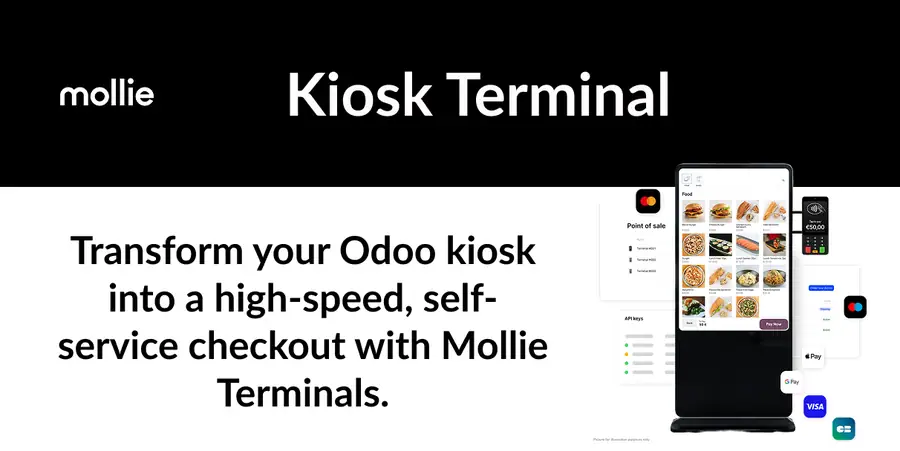
From in-person POS and self-service kiosk payments to automatic bank reconciliation - run your entire operation under one provider.




Ce que l'application ne fait pas
L'éditeur n'a pas encore publié la liste de ce que l'application ne fait pas. C'est une règle du magasin : demandez-la au support avant de vous engager.
Applications du magasin nécessaires
Aucune.
Modules Odoo Community utilisés
accountpayment_molliesale_management
| Série | Version | État | Publiée le |
|---|---|---|---|
| 19.0 | 19.0.19.0.2 | En développement | 26/08/2026 |
Fiche générée depuis julien2364/omnifloo-tiers-mollie-mollie-odoo (branche 19.0, commit d431ffcf4b06).
Contrôle automatique du magasin (distinct de l'éditeur), appliqué à toutes les applications. À corriger : Tests automatisés (tests/test_*.py).
| Contrôle | Résultat | Effet si absent |
|---|---|---|
| Manifeste lisible sans exécution | conforme | bloquant |
| Licence reconnue (OPL-1) | conforme | bloquant |
| Aucune dépendance vers Odoo Enterprise | conforme | bloquant |
| Aucun import de code Enterprise | conforme | bloquant |
| Aucun en-tête de licence Enterprise | conforme | bloquant |
| Icône static/description/icon.png | conforme | déclasse |
| Description (static/description/index.html ou README) | conforme | déclasse |
| Tests automatisés (tests/test_*.py) | absent | déclasse |
| Traduction française (i18n/fr.po) | absent | info |
| Section « Ce que le module ne fait pas » | absent | info |
Avis des clients connectés. Un avis noté par client ; l'éditeur peut y répondre. Connectez-vous pour laisser un avis.
- Éditeur
- Mollie B.V.
- Signaler un problème
- https://github.com/mollie/mollie-odoo
- Clients Omnifloo
- Support inclus selon votre formule : centre d'aide.