
Mollie Payments Extended
payment_mollie_official
Add extra features in mollie payment

Power your Odoo store with Mollie
Join 300,000+ businesses using Mollie to simplify payments and manage funds.
Mollie's complete ecosystem of Odoo applications delivers a true omnichannel payment solution for your entire operation - from ecommerce and in-person Point of Sale to financial reconciliation and shipping.
Mollie is your all-in-one payment solution for Odoo, giving you a unified approach that eliminates complexity, reduces costs, and accelerates your growth.
Odoo v19 has inbuilt support for Mollie Payments. This is an extended module which adds several new features on top of the default module.
Key Features

Start accepting all major payment methods
Grow your business in new markets. Offer your customers all the major local and global methods they trust.

Seamless checkouts
Offer your customers an intuitive checkout experience that’s built to convert. Accept payments directly on your site, removing disruptive redirects that cause abandoned carts.

Accept vouchers
Process eco, gift, and meal vouchers

Control your cash flow
Set up separate or common account journals for all payment methods.

Secure return purchases
Securely save customer card details for quicker checkout on future orders.

Inline Issuer Selection
Let customers choose their preferred bank, voucher, or gift card provider directly at checkout for a smoother, more personalized experience.

Streamlined Refund Management
Process refunds directly from Odoo for Sales Orders, Invoices, and Credit Notes, making refund handling faster and more efficient.

Fast QR Payments
Customers can simply scan a QR code to complete the payment without manually entering details.

Capture & Void Payments
Gain full control over payment flow by capturing authorized payments when orders are confirmed or voiding them when necessary.

Pay with Mollie Everywhere
Accept Mollie payments everywhere in Odoo from a single integration.
Stay flexible
Activate or deactivate payment methods whenever you need.
Full data overview
Get real-time data and insights from your free Mollie Dashboard.
Manage all sales
Accept invoice payments through your portal, even without e-commerce.
Simple administration
Convenient tools for managing refunds and chargebacks.
Expert help
Dedicated in-house support teams and extensive documentation.
Smart Payment Availability
Display only the payment methods available based on customer location, payment type, and down payment or full payment rules.
Payment Method Sync
Keep payment methods always up to date with synchronization of names, icons, and configuration changes.
Rounding Adjustments
Automatically handle rounding differences for payments while keeping transactions accurate and compliant.
How to configure


Changelog
v19.0.0.5
v19.0.0.4
v19.0.0.3
v19.0.0.2
v19.0.0.1
v19.0.0.0
Get Started with Mollie Payments
Getting Started with Mollie
Unlock Advanced Payment Features
Configure Your Checkout Experience
Manage Payment Methods
Track Payments & Orders
Complete the Experience with Mollie
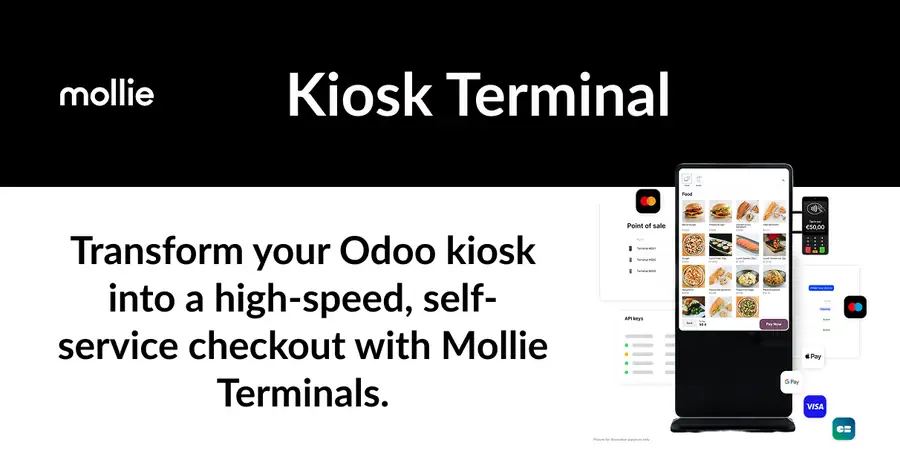
From in-person POS and self-service kiosk payments to automatic bank reconciliation - run your entire operation under one provider.



Ce que l'application ne fait pas
L'éditeur n'a pas encore publié la liste de ce que l'application ne fait pas. C'est une règle du magasin : demandez-la au support avant de vous engager.
Applications du magasin nécessaires
Aucune.
Modules Odoo Community utilisés
accountbase_automationpayment_mollieproduct
Applications qui la complètent
| Série | Version | État | Publiée le |
|---|---|---|---|
| 19.0 | 19.0.19.0.0 | En développement | 26/08/2026 |
Fiche générée depuis julien2364/omnifloo-tiers-mollie-mollie-odoo (branche 19.0, commit d431ffcf4b06).
Contrôle automatique du magasin (distinct de l'éditeur), appliqué à toutes les applications. À corriger : Tests automatisés (tests/test_*.py).
| Contrôle | Résultat | Effet si absent |
|---|---|---|
| Manifeste lisible sans exécution | conforme | bloquant |
| Licence reconnue (LGPL-3) | conforme | bloquant |
| Aucune dépendance vers Odoo Enterprise | conforme | bloquant |
| Aucun import de code Enterprise | conforme | bloquant |
| Aucun en-tête de licence Enterprise | conforme | bloquant |
| Icône static/description/icon.png | conforme | déclasse |
| Description (static/description/index.html ou README) | conforme | déclasse |
| Tests automatisés (tests/test_*.py) | absent | déclasse |
| Traduction française (i18n/fr.po) | absent | info |
| Section « Ce que le module ne fait pas » | absent | info |
Avis des clients connectés. Un avis noté par client ; l'éditeur peut y répondre. Connectez-vous pour laisser un avis.
- Éditeur
- Mollie B.V.
- Signaler un problème
- https://github.com/mollie/mollie-odoo
- Clients Omnifloo
- Support inclus selon votre formule : centre d'aide.